Site Owners
Pilots
Download our app below to start discovering new landing sites




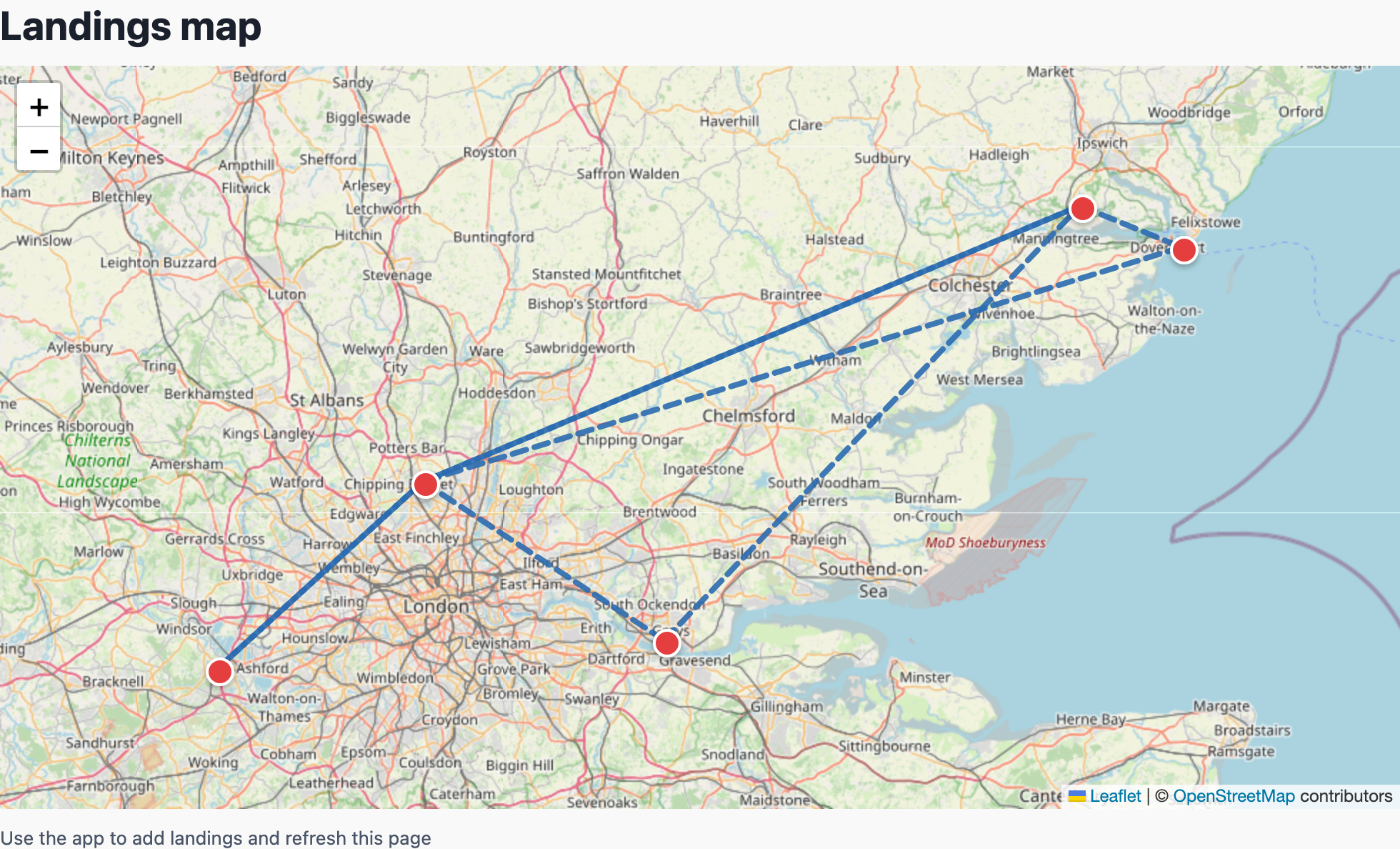
helipaddy.com/me is where your Helipaddy account now comes together on the web. For pilots, it is the fastest way to check aircraft, landings, maps, exports, and recent activity without digging through multiple screens in the app.
If you visit /me while logged out, you will see a simple magic-link login form for your Helipaddy email. Sign in with a linked pilot account and the page becomes a desktop-friendly dashboard for your flying on Helipaddy.
/me is forThink of /me as the web view of your pilot profile: one place to sense-check your account, spot anything missing, and see the parts of Helipaddy that matter most.
That makes /me a practical place to check when you want a fast summary of where your Helipaddy account stands without opening every section of the app.
The biggest new addition on /me is recent flights. Instead of a static profile page, Helipaddy can now show a short, useful list of your aircraft’s latest movements directly on the page.
That server-side point matters. API credentials stay on the server and are not exposed in the browser.
When flight data is available, /me shows a recent-flights panel with aircraft registration, route, UTC departure time when available, UTC arrival time when available, and airborne duration when available.
A typical line might look like this: 5 March 2026 | Dep 15:56z | Arr 16:42z | Airborne 0.8h.
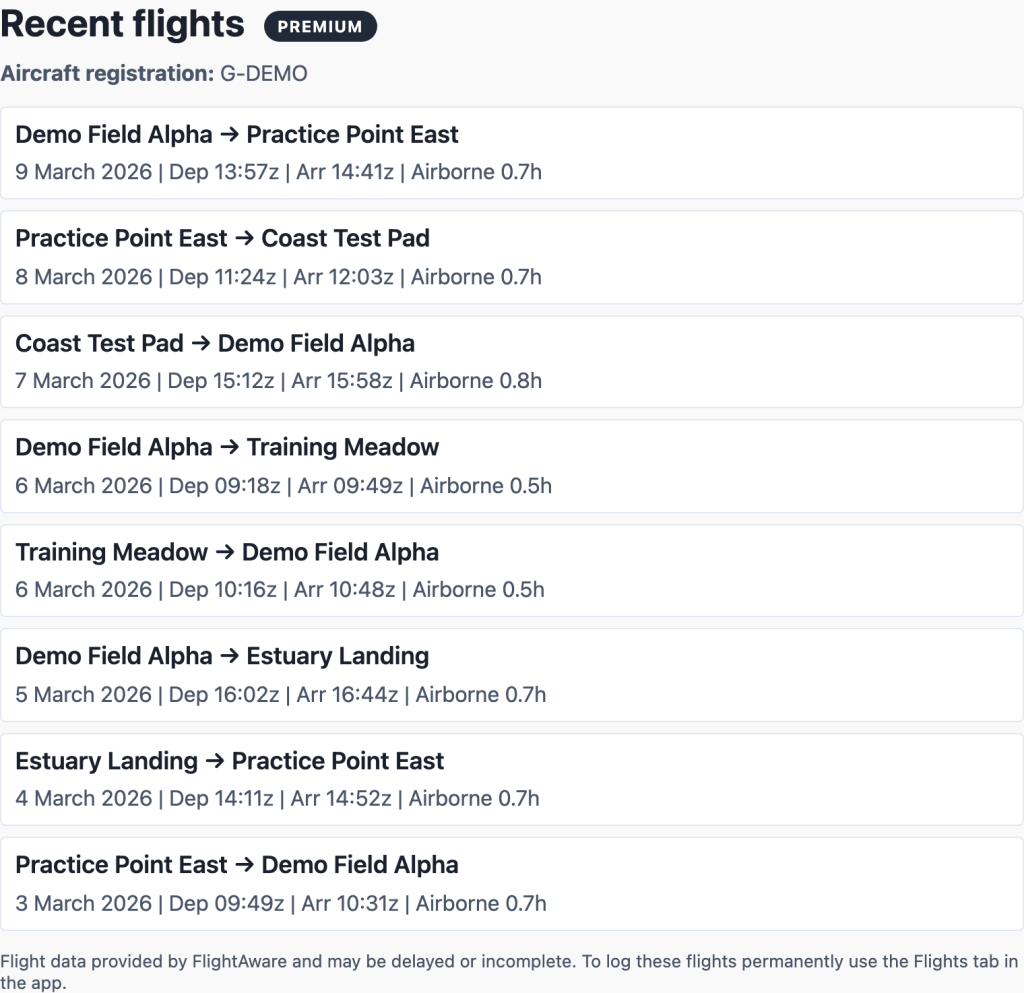
Helipaddy does not just dump raw tracking data onto the page. Where precise coordinates are available, the system tries to match flight endpoints to nearby Helipaddy sites within roughly 1 km. If it can make that match, you see a proper Helipaddy place name instead of a less helpful code.
If no nearby Helipaddy site is found, the page falls back to the best available label from FlightAware, such as an airport code or coordinates. That makes the recent-flights list much easier to read for pilots who already think in Helipaddy destinations.
On the current implementation, non-premium users see up to 3 recent flights. Premium users can see up to 10. If more flights exist than the free view shows, /me displays an upgrade prompt rather than pretending the list is complete.
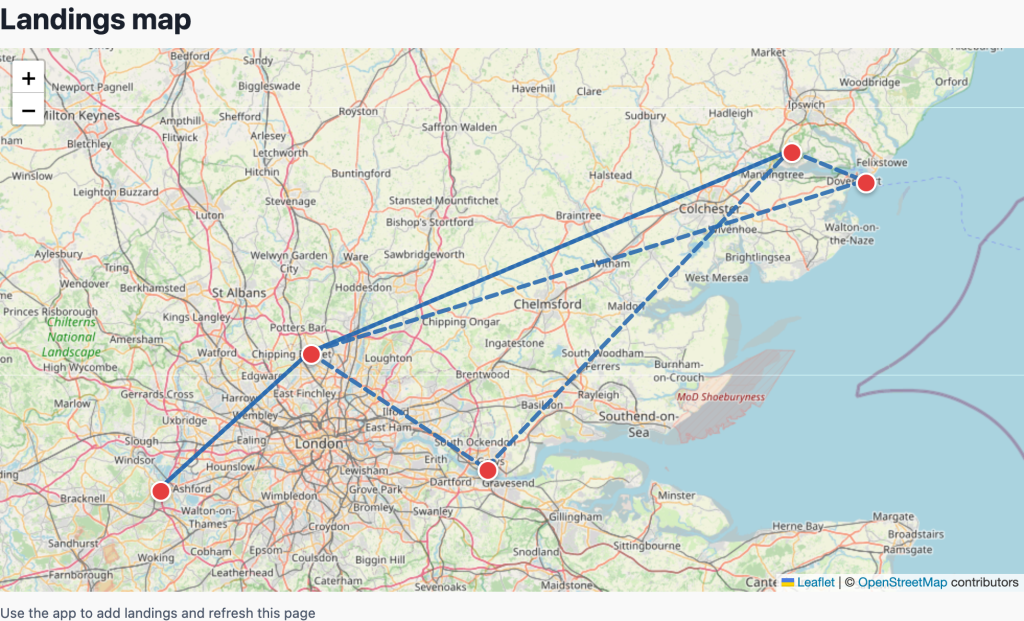
Recent flights are not only shown as text. When both endpoints can be located, Helipaddy can also draw recent flight legs onto the landings map on /me. That turns the page from a simple stats summary into something closer to a visual flying snapshot.
The recent-flights panel is deliberately helpful, but it is not meant to replace logging flights properly in the app. Helipaddy makes that clear on the page: FlightAware data may be delayed or incomplete.
Helipaddy works best when it turns raw aviation data into something operationally useful. That is exactly what /me is becoming.
It is no longer just a profile page. It is turning into a proper personal flying summary: your aircraft, your landings, your map, your exports, and now your recent flights as well.
If you already have a pilot account, open /me and take a look. If you are still setting things up, start with Registering as a pilot on our App, then keep an eye on the Pilot App feature updates. If you want future posts like this by email, you can also subscribe here.


