Site Owners
Pilots
Download our app below to start discovering new landing sites




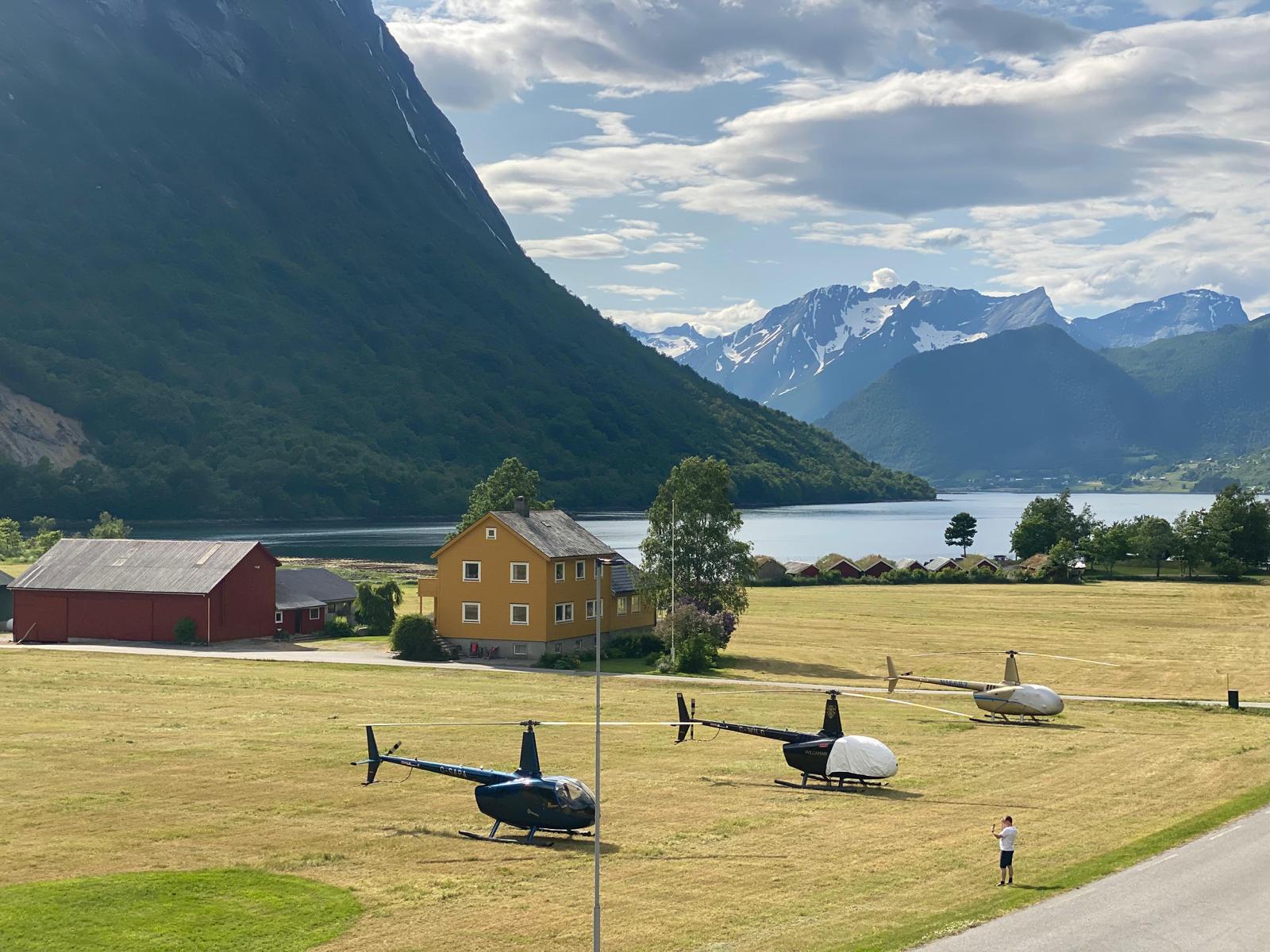
Would you like to host a fly-in? Helipaddy is looking to work with a small number of fabulous locations that would like to host a helicopter fly-in.
The idea is simple: the site chooses a date, or a small choice of dates, and Helipaddy helps turn that into a clear landing booking page for pilots. The site remains the organiser and stays in control of the event, the bookings, the landing permission and the on-the-day arrangements.
Helipaddy is not the event organiser. Helipaddy provides the landing booking system and is happy to promote suitable fly-ins to pilots.
For the right site, this can be a useful way to bring pilots to the venue, test interest in organised arrivals, and add a fresh event to the Helipaddy Fly-Ins page.
This pilot is for sites that have already claimed their landing site on Helipaddy.
That matters because a fly-in should only be organised by someone with a real connection to the landing site and the authority to decide whether pilots may attend. Claiming the site also gives Helipaddy a clearer owner contact and a better starting point for helping with the event page.
If your site is not claimed yet, start with the Helipaddy owner page before asking us to help create a fly-in.
Good candidates might include:
This is not intended for sites where landing permission is uncertain, where the owner has not approved the event, or where the organiser cannot manage pilot enquiries.
Fly-ins promoted by Helipaddy should normally include free landings. The Fly-In tool can include external payment links, for example where a venue is selling lunch, accommodation or another non-landing package. Helipaddy will not normally promote fly-ins that charge a landing fee.
The site chooses the shape of the event first.
That might be one fixed date, a weekend, or a few possible dates where the organiser wants to test demand. The organiser decides whether the event is open to all Helipaddy pilots, limited to a particular group, or handled by approval before each booking is confirmed.
Helipaddy can then help create the fly-in page using the Fly-In tool. Depending on the event, the page can include:
In practice, the tool takes away the main organisation of the flying-in side for free: pilot booking details, arrival slots, booking records, confirmation emails, cancellation links and minimum-booking cancellation settings can all be handled through one page.
Once the organiser is happy, a suitable fly-in can be promoted through Helipaddy and listed on the Fly-Ins page where pilots can find it.
The site remains responsible for deciding whether the fly-in can happen and how it should be managed.
Before the event is listed, the organiser should be comfortable with:
The UK Civil Aviation Authority has also published CAP1988: Safety Guidance for Air Rallies, Fly-ins, Air Races/Contests and Charity Events. The document is written for UK events, and its legal references and application processes are UK-specific. The underlying planning disciplines are useful for any fly-in.
Appendix A is a practical checklist for organisers. It highlights the need to think about:
Those points map naturally to the information an organiser should prepare before asking pilots to book. A Helipaddy fly-in page can help distribute the booking route, arrival slots, special instructions PDF, confirmation email and pilot records, but it is still the organiser’s responsibility to decide what the briefing says and whether the event is suitable.
Helipaddy can help with the booking page and promotion, but it cannot provide legal, insurance, regulatory or operational advice. The organiser should check those points with the relevant landowner, insurer, broker, legal adviser or aviation authority where needed.
A fly-in gives pilots a reason to visit and gives the site a structured way to handle that interest.
For some venues, the benefit is straightforward: more visitors on a quiet day, lunch bookings, overnight stays, event awareness or simply stronger visibility among helicopter pilots. For private or specialist sites, the benefit may be a controlled invitation to pilots who already use Helipaddy to find places to land.
It also adds useful content for the pilot community. A well-described fly-in is more useful than a generic invitation because pilots can see the date, site, booking route and any special instructions in one place.
For a cold first attempt, the organiser does not have to commit blindly to running the event whatever happens.
The Fly-In tool can be set with a minimum number of bookings and a cancellation deadline. For example, the organiser might decide that the fly-in should only go ahead if at least a certain number of pilots have booked by seven days before the event.
If the minimum is not reached by that deadline, the fly-in can be cancelled automatically. The event is hidden from the fly-ins list, new bookings are closed, and pilots plus the organiser can be notified.
That makes the experiment more fail-safe. The site can offer a date, see whether there is enough pilot interest, and avoid running a barely attended event if the numbers do not justify it.
If the organiser uses an external payment link, they should think carefully before enabling automatic cancellation because Helipaddy cannot manage refunds for payments taken outside the system.
The organiser receives and manages the bookings.
Depending on the setup, bookings can be automatically confirmed or held for organiser approval. If slots are enabled, pilots choose from the available arrival times and the system helps prevent double-booking a slot.
The organiser can then use the booking list to keep track of who is coming, how many aircraft are expected, and whether any pilot-specific information has been supplied.
If you manage a claimed landing site on Helipaddy and would like to try hosting a fly-in, contact Helipaddy with:
If the site is suitable for this pilot run, Helipaddy can help you create the booking form and promote the event.
This article is for general information only and is not legal, insurance, aviation safety, regulatory or operational advice. The organiser remains responsible for confirming that the event is appropriate, permitted and properly managed.


we would be interested to host a fly in at fen farm lincoln. we are on helipaddy
Dear John, great idea, we will email you with instructions and some ideas.