Site Owners
Pilots
Download our app below to start discovering new landing sites




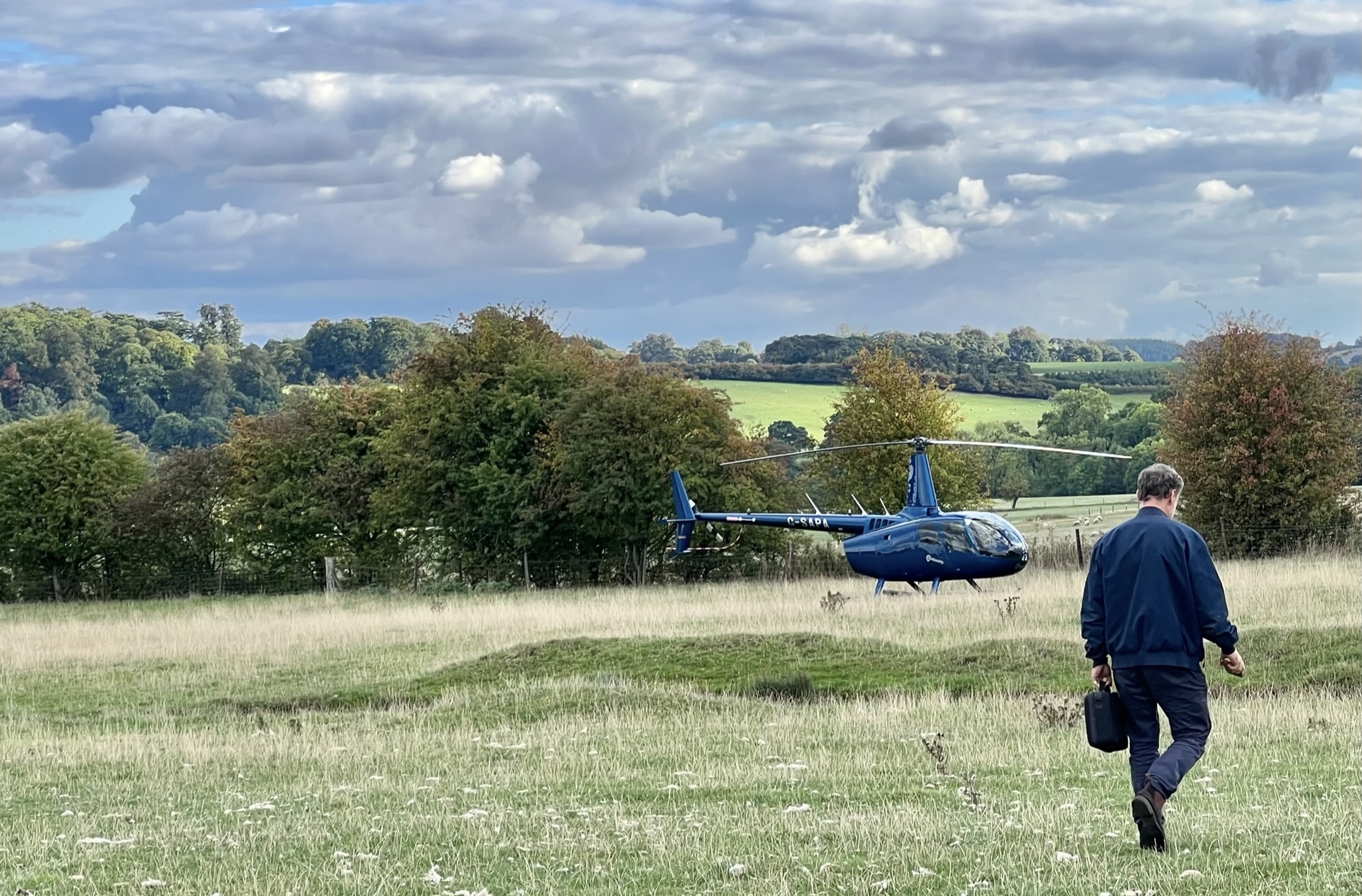
Organising a helicopter fly-in is not just a matter of choosing a good landing site and inviting pilots.
Even a small private gathering can create overlapping responsibilities between the organiser, landowner, pilots, passengers, spectators and insurers. The legal and insurance position will vary by country, by event type, by landowner arrangement and by the wording of the policies involved.
Helipaddy cannot provide legal, insurance or regulatory advice. Organisers should speak to their own broker, insurer, legal adviser, landowner and aviation authority where needed.
But there is still a practical question worth asking:
What can an organiser do to make a fly-in better structured, better briefed and easier to explain if something later needs to be reviewed?
The first step is to be clear about what is actually being organised.
Is it a private invitation-only gathering? A club event? A public event? A charity event? A commercial event? Is the organiser providing landing permission, marshalling, parking, spectator control, refreshments, fuel, payment collection or simply a way for pilots to coordinate attendance?
That distinction matters because the risk picture changes depending on what the organiser is doing.
At a minimum, I would want a documented event risk assessment covering both general event safety and aviation-specific risks, including:
That risk assessment should then feed into the event briefing, insurance discussions and pilot booking process. In the UK, larger or more formal aviation events may also need to be checked against the CAA’s Flying Displays and Special Events guidance and airspace notification process, rather than treated as an ordinary private arrival.
One of the most useful things an organiser can do is prepare a clear statement of facts for insurers.
Insurers need to understand what is being organised, what the organiser is responsible for, what the landowner is responsible for, and what remains the responsibility of each pilot in command.
This is where vague language can be dangerous. A fly-in that looks like a casual invitation to pilots may still create expectations about site control, arrival management, landing permission, ground safety or event supervision.
A good statement of facts should explain:
The aim is not to create bureaucracy for its own sake. The aim is to avoid surprises.
The Helipaddy Fly-In tool helps an organiser create a more structured workflow.
With bookings enabled, the organiser can collect a consistent record from each pilot:
That is a much stronger record than a loose chain of emails, messages or verbal confirmations, and it gives the organiser a single place to review attendance before the event.
It also creates a single event page that can be shared directly with pilots and, where appropriate, listed on Helipaddy Fly-Ins so app users can find the event. If the briefing changes, the organiser has one page to update rather than relying on pilots finding the latest email or message.
If more than a handful of aircraft may attend, arrival slots are one of the simplest practical controls.
Slots do not control the sky. They do not remove pilot-in-command responsibility for flight planning, separation, weather, lookout, fuel, alternates or legal compliance.
But they can reduce a very obvious risk: too many aircraft planning to arrive at the same time.
Departure congestion deserves the same attention. Many fly-ins have a natural wave of departures after lunch or at the end of the programme, so the briefing should tell pilots how departures will be sequenced, where aircraft should start up, how marshalling will work and what to do if several aircraft are ready to leave together.
For a conservative private fly-in, an organiser might use:
For a busier but well-managed event, the organiser might allow two aircraft per 15-minute slot, but only if the landing area, approach/departure plan, marshalling and parking arrangements justify it.
The point is not that every fly-in needs the same settings. The point is that the settings should match the risk assessment and the site.
The Helipaddy 360 Survey addresses a different part of the risk picture: the landing site itself.
Good site information helps pilots understand what they are flying into before they arrive. It can also help organisers and landowners document hazards and operating notes that should be included in the event briefing.
Depending on the site, that may include:
Used together, a completed site survey and a slot-based fly-in booking page help the organiser move from “everyone knows where it is” to a documented and shareable briefing.
The Fly-In tool lets an organiser upload a special event instructions PDF.
If uploaded, pilots must download the PDF before submitting a booking. The same PDF is attached to confirmation emails.
That makes the PDF a useful place for the event’s key documents and instructions, such as:
The legal wording should not be improvised. Waivers and indemnities are jurisdiction-specific, and in some places there are limits on what liability can be excluded. In England and Wales, for example, liability for death or personal injury caused by negligence cannot simply be excluded by a waiver.
For that reason, the PDF should be treated as a structured briefing and record, not as magic legal protection.
The Fly-In tool can require pilots to upload an insurance certificate PDF before a booking is submitted.
That may be useful if the organiser, landowner or insurer wants evidence that participating aircraft have insurance in place. It does not prove that every possible claim is covered, and it does not automatically protect the organiser or landowner from subrogated claims.
If insurance is a major concern, the organiser should ask their broker or insurer what evidence they want to see. In some cases, they may want more than a certificate. They may want confirmation that the organiser and landowner will not be pursued after an insured claim, or that the relevant parties are noted appropriately.
That is a specialist insurance question. The Fly-In tool can collect and store the document; it cannot interpret the policy.
The Fly-In tool also includes one yes/no question and one short text question.
These are useful, but they should be used carefully.
Good yes/no questions are acknowledgements, not legal shortcuts. For example:
I confirm I have read the special event instructions and understand that my slot is not permission to land.
or:
I confirm I remain responsible as pilot in command for flight planning, weather, aircraft operation, passengers, insurance and legal compliance.
The short text question is capped at 15 characters, so it is best for compact references, not long explanations. Examples might include:
If the organiser needs a full legal acknowledgement, detailed medical/accessibility information, passenger data or anything sensitive, that probably belongs in a properly drafted document or a different process, not a 15-character text box.
For some fly-ins, automatic confirmation may be fine.
For others, organiser approval is a better control. Approval lets the organiser review the aircraft type, registration, requested slot, notes, insurance upload and custom question answers before confirming attendance.
That can be useful where:
Approval gives the organiser a review step before the booking becomes confirmed.
If money is collected, the organiser should think carefully about how that changes the event.
Charging a landing fee may make the arrangement look more contractual or commercial. That can matter because insurance cover, landowner permissions, tax treatment and liability assumptions may be different for commercial or fee-based activity than for a private invitation or voluntary contribution. For example, an aviation or landowner policy may draw a distinction between private use, public events, commercial operations and paid-for services.
If the intention is simply to support event costs or a charity, the organiser may prefer a genuinely voluntary donation, handled and described as such. The right answer depends on the event, the jurisdiction, the landowner arrangement and the insurance position. This is one to check before publishing the event page.
For a small private fly-in at a site with limited space or meaningful local hazards, a conservative setup might look like this:
The acknowledgement might say:
I confirm I have read the special event instructions and understand that my slot is not permission to land. I remain responsible as pilot in command for my aircraft, passengers, flight planning, weather decisions, insurance and legal compliance.
That wording is not a substitute for legal advice, but it illustrates the kind of clarity the organiser should be aiming for.
Used together, the Fly-In tool and 360 Survey can help reduce or evidence controls around:
They do not replace:
That distinction matters.
Software can help an organiser run a clearer, more disciplined process. It cannot make a risky event safe by itself.
For a fly-in organiser, the goal is not paperwork for paperwork’s sake.
The goal is to make sure everyone understands what is being organised, who is responsible for what, what the site-specific risks are, and what controls are in place before the first aircraft arrives.
That is where a documented risk assessment, a clear statement of facts, a completed site survey, a structured booking process, sensible slots, a briefing PDF and proper insurance advice all fit together.
None of them is enough on its own.
Together, they make the event easier to brief, easier to manage and easier to explain.
This article is for general information only and is not legal, insurance, regulatory or aviation operational advice. Organisers should confirm requirements with their insurer, broker, legal adviser, landowner and national aviation authority.


One thought on “Fly-in risk controls: how slots, surveys and records can help”