Site Owners
Pilots
Download our app below to start discovering new landing sites




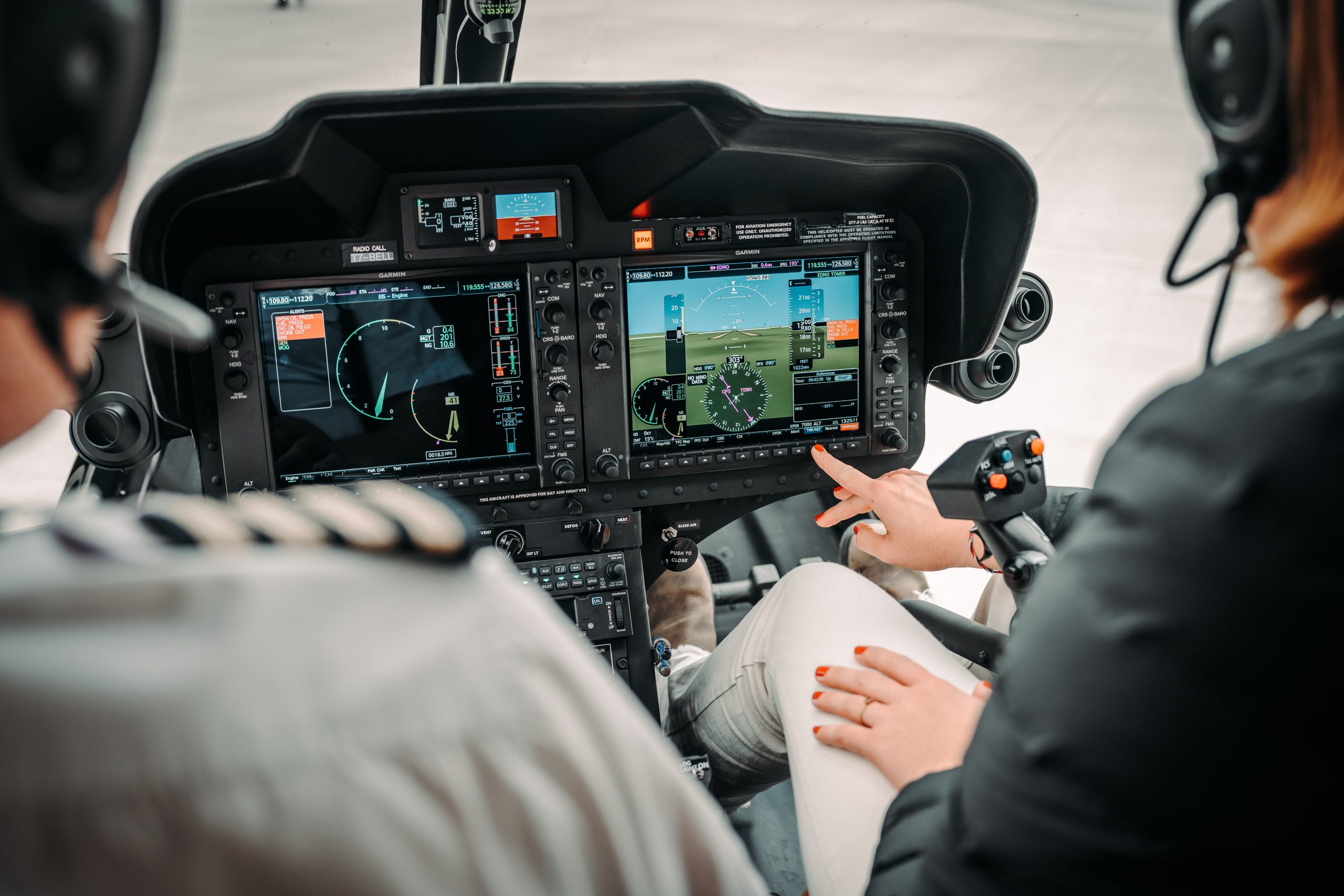
If you fly with a Garmin G1000, you have probably discovered that helicopter landing sites do not fit neatly into the unit’s waypoint logic.
That is not really a Helipaddy problem. It is mostly a waypoint-type and waypoint-semantics problem inside the Garmin workflow.
Take a Bell 505 with Garmin G1000H NXi as a practical example. If the landing point is an exact off-airport location such as a garden, a rough nearby field or generic fix is not good enough. The point needs to be the real landing site.
Many helicopter landing sites are neither conventional airports nor points you want to leave as anonymous route markers. But in a typical Garmin Pilot workflow, a custom point such as ORL1 transfers in as a route-style point rather than a true airport or heliport destination.
That creates an annoying gap for pilots.
If you are trying to move sites out of Helipaddy and into Garmin in the first place, see Helipaddy’s existing guide on transferring waypoints to Garmin Pilot and GTN units.
The G1000 is happy to work with imported route waypoints, and that is why this is not a simple connectivity failure.
The problem is that it does not really want those route waypoints to behave like proper helicopter destinations.
Airport and heliport entries are destination-style waypoint types with elevation, and that matters. They support the sort of arrival behaviour pilots actually want when planning into a landing site, including destination handling and outputs such as ETA and fuel-on-destination style calculations.
Route waypoints do not behave the same way.
So although a landing site can be imported as a waypoint, the NXi may still treat it as a routing fix rather than a proper departure or destination. That is the real blocker.
Helicopter flying often depends on private sites, estates, hotels, golf courses, event landings, and other locations that are operationally real but do not exist in the G1000 as standard heliport destinations.
That means a pilot may know exactly where the site is, and may even have the coordinates, but still not get the full planning benefit inside the box unless the point is set up as the right waypoint type.
In practice, that is why G1000 user waypoints can feel half-useful:
It also explains why identifier length is not the main issue. A name such as ORL1 is already consistent with Garmin-style short naming. The real problem is classification plus metadata: the transferred point arrives as a generic route point instead of a destination-capable heliport or airport object.
Helipaddy’s favourites export was updated to make this easier.
Instead of adding a separate Garmin-only export button, the existing Export GPX action under the favourites map now generates Garmin-compatible GPX output for saved favourite sites.
Open your Helipaddy favourites
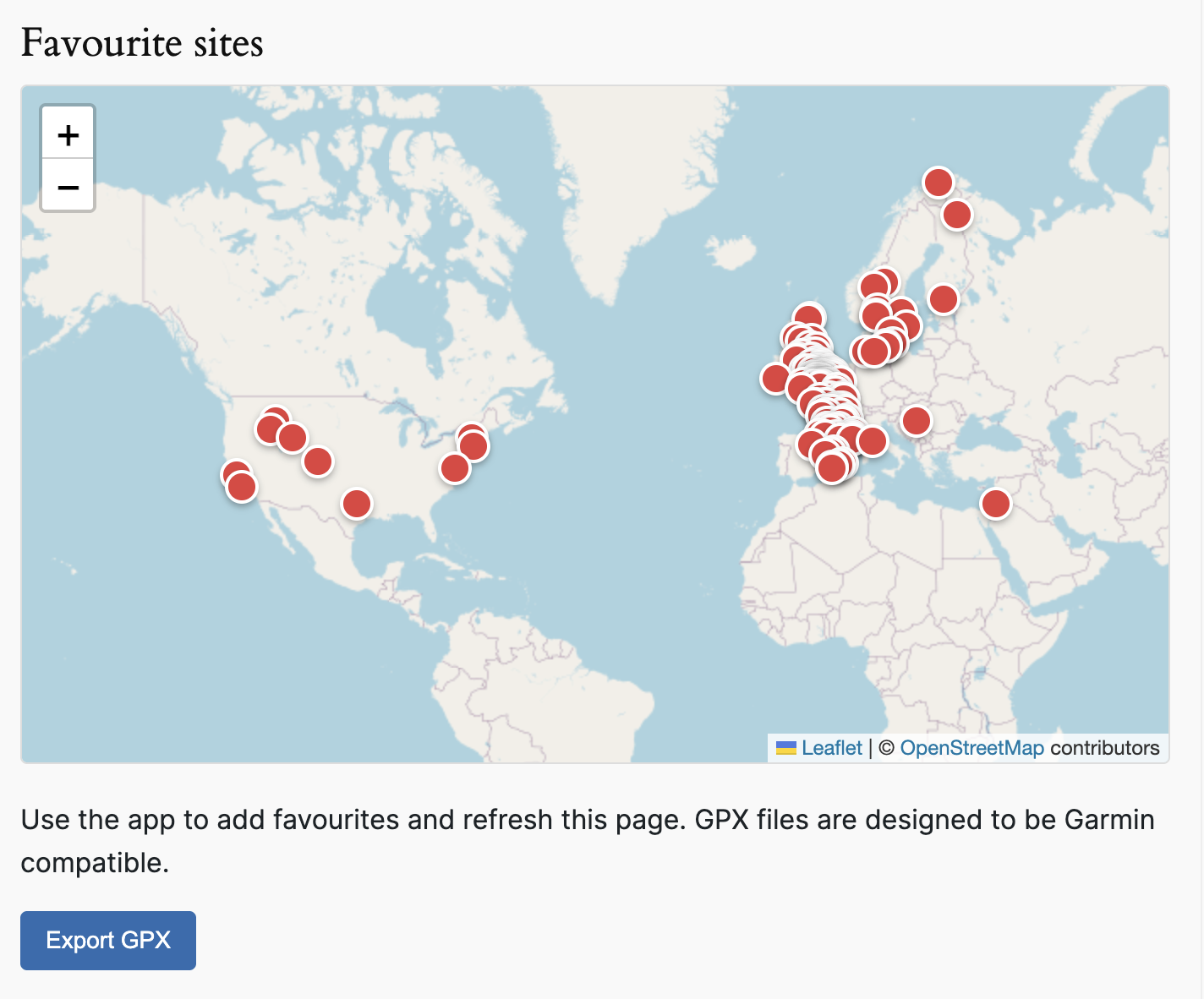
That export helps by packaging the practical details a pilot needs for saved landing sites, including:
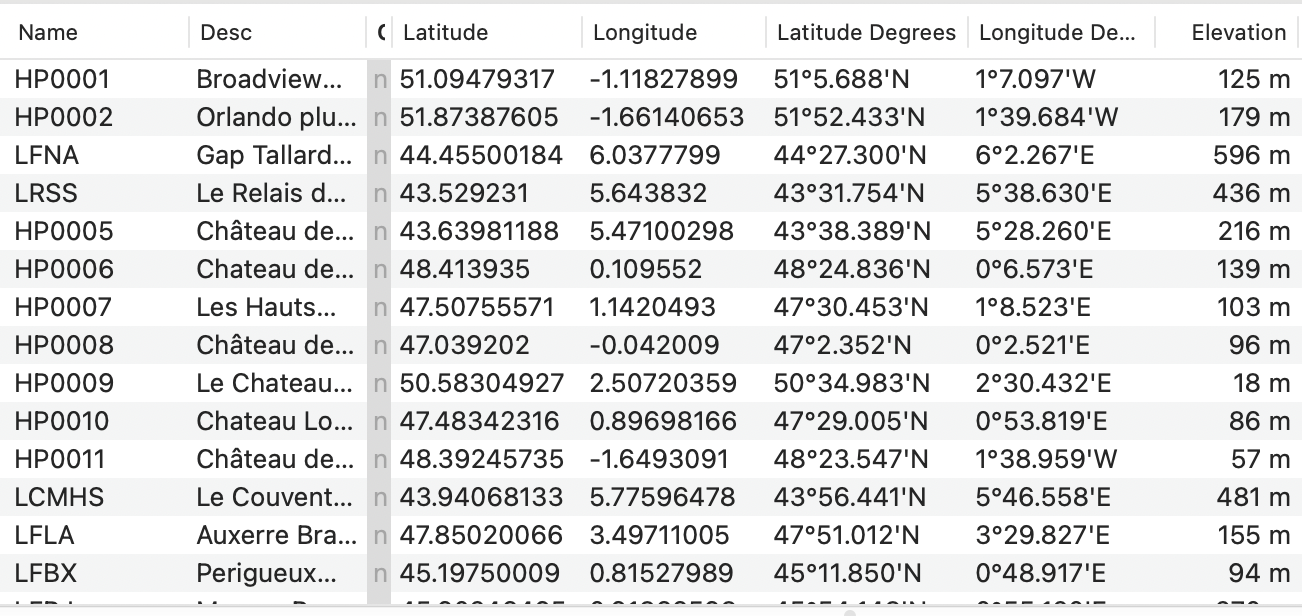
In other words, the export gets the landing sites into the Garmin ecosystem in a form that is far more useful than manually retyping every point from scratch.
Just as importantly, it solves the part that Helipaddy can solve at source: giving the pilot the exact coordinates and an elevation reference for the landing site. In the current Garmin Pilot workflow, there is no place at source to declare waypoint type or supply full airport or heliport metadata before transfer.
If your broader workflow also includes route planning tools outside the panel, Helipaddy already supports compatibility with SkyDemon, ForeFlight, and Garmin Pilot.
The export is a workaround, not a total fix.
After import, the landing sites still need to be reviewed and edited as Heliport entries in the G1000.
That manual conversion matters because only then can the site behave like a proper destination location in the system. On the Bell 505 workflow discussed here, changing the imported point from Route to Heliport also means the unit requires an elevation before it will save.
Once the imported point has been edited into a heliport entry, the pilot can use it more naturally as a destination and get the sort of operational output they actually need, including ETA-related planning.
That is why exporting an FPL alone is not enough for precise off-airport sites. The point first needs to exist in the aircraft as the right kind of user waypoint.
Bell’s Bell 505 materials confirm the aircraft uses Garmin G1000H NXi and that the system includes SD card support for importing and exporting flight-planning data. Garmin’s G1000 NXi references also describe importing user waypoints into the unit’s user waypoint database.
That distinction matters because the clean architecture is really a two-step process:
Garmin documentation also makes clear that the system distinguishes between generic route user waypoints and airport or heliport-style user waypoints, with different naming and elevation requirements. That matches Bell 505 pilot experience closely enough to explain why the same point behaves differently once it is converted from a route point into a heliport entry.
For pilots already running Garmin helicopter panels, Helipaddy’s G500H TXi and GTN FAQ is also relevant background reading.
That still involves manual cleanup, but it is much faster and less error-prone than building every private landing site by hand from zero.
The awkward part here is not that Helipaddy lacks the data.
The awkward part is that G1000 user waypoint handling was not really designed around the way helicopter pilots use private landing sites.
Helipaddy’s favourites export closes a large part of that gap by giving pilots the coordinates and elevation data in a Garmin-friendly format. The remaining open question is whether a hand-built SD-card waypoint file can create the point directly as a user heliport or airport on the Bell 505 with elevation already attached, or whether the Bell will still import it as a generic point that requires manual conversion afterwards.
For now, the practical conclusion is simple: the blocker is waypoint class, not waypoint transfer. Helipaddy can help pilots get the exact landing site, coordinates, and elevation into the workflow, but the final step still belongs to the pilot inside the aircraft.


